
Kvinta / Picture changes
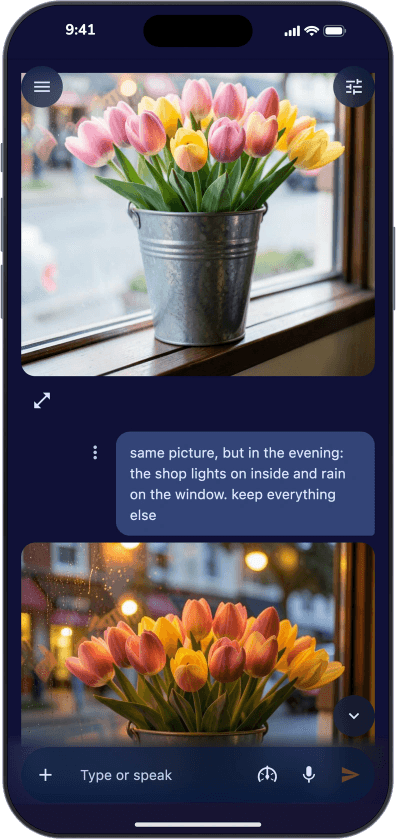
Change one detail of a picture and keep the rest
One good picture becomes a week of posts. Ask for the same scene at another time of day, in one sentence.
- One sentence per change
- The scene stays, the detail changes
- Works on pictures Kvinta made
- Coming soonApp Store
- Coming soonGoogle Play
- DownloadMac
How it works
- 1
Say what you need
Type it in your own words. Attach notes or files if you have them.
- 2
Kvinta does the work
It makes the picture, the page or the checklist from what you gave it.
- 3
Use it
Post it, print it or share it with your staff.
Try a request like this
“Same picture, but in the evening with the shop lights on and rain on the glass. Keep everything else.”
Common questions.
Does the rest of the picture stay the same?
That is what it aims for: one sentence changes one detail, and the rest of the scene is kept. If something else moved, say so in the next message.
How many versions can I make?
Each version is a new picture, and like every request it uses part of your plan’s monthly usage allowance.